
Introduction
A Computer Paragraph is an important topic for students of different classes because computers have become a useful part of our daily lives. Learning about computers helps students understand their uses, benefits, and importance in the modern world.
Computers help us in education, communication, business, and many other fields. This topic explains basic information about computers easily, so students can improve their knowledge and writing skills.
Whether you are preparing for school exams or learning general concepts, understanding a computer paragraph can be helpful. It gives students a clear idea about how computers work and why they are important today.
see also: Money Cannot Buy Happiness Story with Moral (Complete Guide)
Computer Paragraph for Class 6
A computer is an electronic machine that stores and processes information. It can perform many tasks such as writing, drawing, and playing games.
Computers are used in schools, homes, and offices. They help students learn new things easily through pictures, videos, and games.
A computer has different parts like a monitor, keyboard, mouse, and CPU. Each part has its own function to make the computer work properly.
Today, computers are found almost everywhere. They make our daily life easier and more interesting.
Computer Paragraph for Class 7
A computer is an electronic device that can store, process, and display information. It works with the help of hardware and software components.
The main parts of a computer include the monitor, keyboard, mouse, CPU, and speakers. Each part performs a specific task to complete the system.
Computers are widely used in education, business, and communication. Students use computers to study, do research, and complete their assignments.
Computers also help in entertainment through games, movies, and music. They connect people around the world through the internet.
Learning basic computer skills is important for every student. It prepares them for future studies and careers.
Computer Paragraph for Class 8
A computer is an electronic device that receives, processes, stores, and gives out information. It works based on input, processing, and output.
There are two main components of a computer: hardware and software. Hardware includes physical parts, while software includes programs that run on the computer.
Computers play a vital role in almost every field, including education, medicine, business, and communication. They help people complete tasks faster and more accurately.
In education, computers help students access information, prepare presentations, and take online classes. They make learning more interactive and effective.
Computers have also changed the way people communicate. Through the internet, people can send emails, chat, and video call with others instantly.
Although computers are very helpful, they should be used properly. Spending too much time on computers can affect health and daily routine.
Computer Paragraph for SSC
A computer is an electronic device that can perform various tasks such as calculations, data processing, and communication. It has become an essential part of modern life.
The main parts of a computer are the CPU, monitor, keyboard, mouse, and memory devices. Together, these parts allow the computer to function smoothly.
Computers work on three basic principles: input, processing, and output. Data is entered through input devices, processed by the CPU, and the result is shown through output devices.
In today’s world, computers are used in almost every sector, including education, healthcare, banking, and industry. They increase efficiency and reduce human error.
For students, computers are extremely helpful in learning new subjects, doing research, and preparing for exams. Many schools now use digital tools to teach lessons.
Computers have also created many job opportunities in fields like programming, data analysis, and digital marketing. Learning computer skills can help students build a successful career.
However, misuse of computers, such as spending excessive time on social media or games, can be harmful. Students should use computers wisely for productive purposes.
Computer Paragraph for HSC
A computer is a highly advanced electronic device capable of performing complex calculations and processing large amounts of data within seconds. It has revolutionized almost every field of modern life.
The basic structure of a computer includes input devices, a central processing unit (CPU), memory, and output devices. These components work together to execute instructions given by the user.
Computers operate on the principle of the input-process-output cycle. Data entered through input devices is processed by the CPU, and the result is displayed through output devices.
In the field of education, computers have transformed traditional learning methods. Online classes, digital libraries, and e-learning platforms have made education more accessible to students everywhere.
The business and industrial sectors rely heavily on computers for tasks like accounting, inventory management, and communication. Automation through computers has significantly increased productivity and reduced errors.
In the medical field, computers assist doctors in diagnosing diseases, storing patient records, and conducting advanced research. This has improved the accuracy and speed of medical treatment.
Computers have also strengthened global communication through the internet, enabling people to connect instantly regardless of distance. Social media, emails, and video conferencing are all products of this technology.
Despite their many benefits, computers can also have negative effects if misused. Overuse can lead to health issues, reduced physical activity, and addiction to the internet or gaming.
Therefore, students and professionals need to use computers responsibly. Balancing computer use with other activities ensures both productivity and well-being.
Importance of Computers in Daily Life
Computers have become an essential part of everyday life. From communication to entertainment, they help us complete tasks quickly and efficiently.
Many daily activities, such as online shopping, banking, and paying bills, are done through computers. This saves time and reduces effort.
Computers also help students and professionals stay organized. They allow easy storage and access to important documents and information.
In short, computers have made life more convenient, connected, and productive for people of all ages.
Uses of Computer in Education
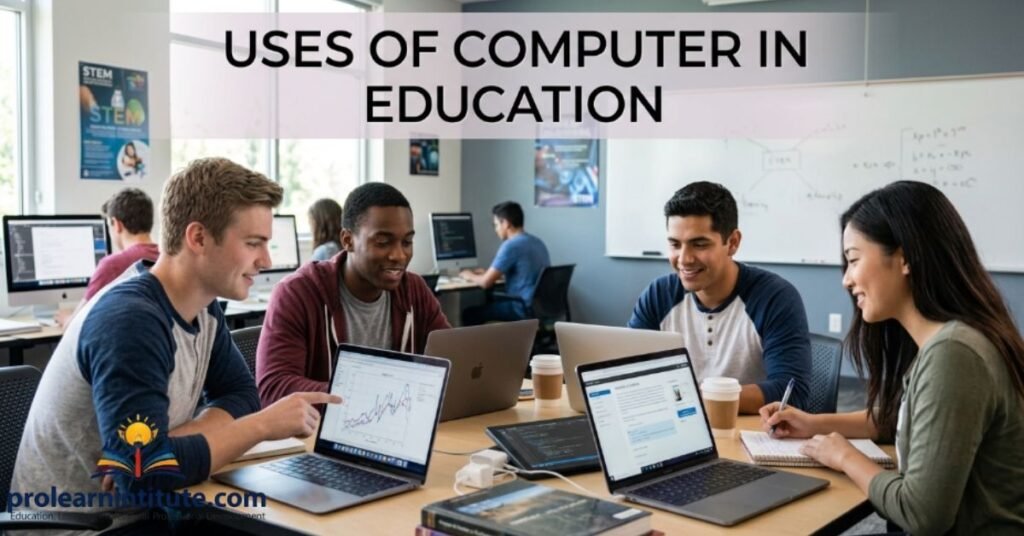
Computers play a major role in modern education. They help students learn through interactive lessons, videos, and online resources.
Teachers use computers to prepare presentations, create digital notes, and conduct online classes. This makes teaching more effective and engaging.
Students can research topics, write assignments, and access e-books using computers. This improves their knowledge and academic performance.
Overall, computers have made education more accessible and flexible for both students and teachers.
Advantages of Computer
Computers offer many advantages that make daily life easier and more efficient.
Some of the key benefits include:
Fast and accurate processing of information
Easy storage and retrieval of data
Better communication through the internet and email
Access to unlimited knowledge and resources
Increased productivity in work and studies
These advantages show why computers are considered essential tools in the modern world.
Disadvantages of Computer
Although computers are very useful, they also have some disadvantages if not used properly.
Some common disadvantages include:
Overuse can lead to health problems like eye strain
Excessive screen time can reduce physical activity
Risk of cyberbullying and online scams
Dependence on technology may reduce creativity
Misuse of the internet can waste valuable time
Being aware of these disadvantages helps users maintain a healthy balance while using computers.
Tips to Write a Good Computer Paragraph

Writing a good computer paragraph requires clarity and simple language. Here are some helpful tips:
Start with a clear definition of a computer
Mention its main parts and functions
Include its uses in daily life and education
Add both advantages and disadvantages
Keep sentences short and easy to understand
Following these tips can help students write clear and well-structured paragraphs.
Why Learning About Computers is Important for Students
Learning about computers helps students build essential skills for the future. It prepares them for higher studies and modern careers.
Computer knowledge improves problem-solving and critical thinking abilities. It also helps students adapt to new technology easily.
In today’s digital world, basic computer skills are necessary for almost every profession. Students who learn computers early have a strong advantage.
Therefore, computer education should be an important part of every student’s learning journey.
Conclusion
In simple terms, Computer Paragraph for Classes 6, 7, 8, SSC, and HSC helps students understand the importance of computers in everyday life using easy and clear language. At its core, learning this topic improves writing skills while building knowledge about a technology we use every day.
Now you have a clear understanding of how to write about computers with confidence and simplicity. The next step is yours—practice these ideas in your own words, and your writing will become clearer and more effective over time.
see also: Mobile Phone paragraph for Class HSC, SSC
FAQs
What is a computer paragraph for students?
A computer paragraph is a short piece of writing that explains what a computer is, its parts, and its uses in simple language suitable for students.
What are the main parts of a computer?
The main parts of a computer are the monitor, keyboard, mouse, CPU, and memory devices, which work together to process information.
Why is the computer important in education?
Computers help students learn through videos, online classes, and digital resources, making education more interactive and accessible.
What are the advantages of using a computer?
Computers offer fast processing, easy data storage, better communication, and access to unlimited information and learning resources.
What are the disadvantages of using a computer too much?
Overusing computers can cause eye strain, reduce physical activity, and increase the risk of online scams or distractions.
How can students write a good computer paragraph?
Students should use simple language, mention the definition, parts, uses, and advantages and disadvantages in short, clear sentences.
What is the use of a computer in daily life?
Computers help in daily tasks like online shopping, banking, communication, and managing personal or professional information easily.
How does a computer work?
A computer works through an input-process-output cycle, where data is entered, processed by the CPU, and shown as output.
Why should students learn about computers?
Learning about computers helps students build important skills for future studies, careers, and everyday problem-solving.
What is the difference between hardware and software in a computer?
Hardware refers to the physical parts of a computer, like the keyboard and CPU, while software includes the programs that run on it.

I’m Jordan Smith, a content writer with 4 years of experience and AI content expertise, creating clear, engaging, and easy-to-understand educational content.